
Complete Guide to Kick an Uma Controls: Master Your Racing Strategy in Roblox
Master your gameplay with our comprehensive guide to kick an uma controls. Learn key inputs, racing mechanics, and pro tips to dominate the track toda
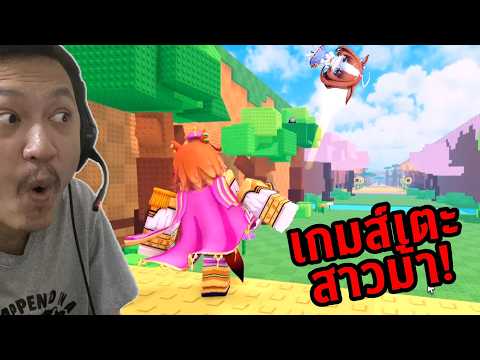 Community GameplayMaster your gameplay with our comprehensive guide to kick an uma controls. Learn key inputs, racing mechanics, and pro tips to dominate the track todaYouTube
 Understanding the Basics of Uma Racing
If you are diving into the fast-paced world of this Roblox hit, you have likely found yourself searching for the best way to kick an uma controls setup to ensure you stay ahead of the pack. Mastering how to kick an uma controls configuration is essential for any player looking to climb the leaderboard, as reaction time and precise input management are the difference between a podium finish and falling behind.
In this guide, we will break down the essential button layouts for keyboard, mouse, and controller users. Whether you are a newcomer just getting started with your first character or a veteran optimizing your sprint efficiency, understanding the control scheme is the foundational skill required to succeed in every race.
Essential Control Schemes for Every Platform
To perform at the highest level, you need to be comfortable with your input method. The game is designed to be accessible, but there is a distinct skill ceiling when it comes to executing complex maneuvers like spurts and abilities under pressure.
The following table provides a clear breakdown of the standard input configurations across different gaming platforms to help you get started.
Standard Input Reference Table
| Action | Keyboard & Mouse | Xbox Controller | PlayStation Controller |
|---|---|---|---|
| Movement | WASD | Left/Right Stick | Left/Right Stick |
| Sprint/Run | Q/E or Mouse Buttons | LT | L2 |
| Spurt | R | LB | L1 |
| Ability | F | RB | R1 |
| Zone | G | Right D-Pad | Right D-Pad |
| Shift Lock | N/A | Left D-Pad | Left D-Pad |
Mastering Sprinting and Spurt Mechanics
One of the most common questions from the community involves maximizing speed. Many players struggle with the stamina-draining mechanics of sprinting. According to community reports, the most effective way to maintain top speed is to alternate your inputs rhythmically rather than mashing keys haphazardly.
For keyboard players, alternating between Q and E while holding W is often cited as a reliable method to optimize your run speed. If you are using a mouse, consider using the left and right click buttons to manage your pace.
Sprint Efficiency Comparison
| Method | Ease of Use | Stamina Drain | Recommended For |
|---|---|---|---|
| Keyboard Alternating (Q/E) | Moderate | Medium | Precision Racers |
| Mouse Click Alternating | Easy | High | Casual Players |
| Shift-Tap Method | Hard | Low | Advanced Racers |
Utilizing Abilities and Zone Skills
Beyond basic movement, the game features unique abilities for each character. Whether you are playing as a Common character like a support Uma or a Legendary powerhouse like a support Uma, your ability timing is crucial.
Abilities are mapped to the F key (or equivalent controller bumpers), and using them at the right moment can alter the outcome of a race. Furthermore, the "Zone" mechanic, mapped to the G key or Right D-Pad, allows for advanced tactical positioning. You can learn more about specific character stats and tier lists on the Roblox Uma Racing Wiki for further optimization.
Character Class Performance Overview
| Class | Ability Impact | Difficulty to Master |
|---|---|---|
| Common | Low | Easy |
| Uncommon | Moderate | Low |
| Rare | High | Moderate |
| Epic | Very High | Hard |
| Legendary | Game-Changing | Expert |
Quick-Time Events (QTE) Strategies
Quick-time events (QTEs) are a core component of the race experience. These occur during pivotal moments and require split-second reflexes. Successfully hitting these prompts can provide a significant speed boost or prevent your character from losing momentum.
If you are struggling with these, try to keep your fingers positioned over the Q, E, R, and F keys at all times. On controllers, keep your index fingers on the bumpers and triggers, as these are the primary buttons used for QTE interaction.
QTE Response Mapping
| Platform | Buttons Involved | Focus Area |
|---|---|---|
| Keyboard | Q, E, R, F | Speed/Reflexes |
| Xbox | LB, LT, RB, RT | Tactical Timing |
| PlayStation | L1, L2, R1, R2 | Tactical Timing |
Advanced Tips for Competitive Play
To truly master the game, you must move beyond the basic control schemes. Many high-ranking players suggest using the "Shift Lock" feature (mapped to the Left D-Pad on controllers) to improve camera control during high-speed turns.
Player experience suggests that keeping your camera focused on the track ahead rather than your character model helps in anticipating turns and avoiding collisions. Consistency is key; spend time in the practice modes to familiarize yourself with how your chosen character handles different track surfaces and curves.
Frequently Asked Questions (FAQ)
Q: How can I change my kick an uma controls settings? A: Currently, the game uses a standardized layout. You can view the default inputs in the game menu or refer to our control tables above to ensure you are using the most efficient methods for your platform.
Q: Is there a specific trick to running faster? A: Yes, many players find that rhythmic input (alternating between sprint keys) is more effective than simple key-mashing. Experiment with the different sprint techniques mentioned in our efficiency table to see what feels best for your hardware.
Q: What is the most important control to learn first? A: Mastering the Spurt (R key/L1/LB) is arguably the most important skill, as it allows you to overtake opponents during the final stretch of a race.
Q: Do abilities change based on the character? A: Absolutely. Each character has unique abilities that are triggered by the F key. Check the character info screen in the game to understand how your specific character's ability can be best utilized during a race.
Related Guides
Kick an Uma How to Play: Mastering the Viral Roblox Experience Guide
Learn how to play the viral Roblox sensation Kick an Uma. Discover expert tips, gameplay mechanics, and community strategies to dominate the experienc
Mastering the Kick an Uma Perfect Kick: The Ultimate Guide to Launching Your Way to the Top
Learn how to land a Kick an Uma perfect kick to maximize your distance, collect top-tier units, and dominate the leaderboards in this Roblox tycoon hi
Mastering the Mechanics: How to Kick an Uma and How to Kick Farther for Maximum Distance
Learn the secrets behind professional-grade kicking distance. Discover how to kick an uma, improve your swing, and boost your power with expert traini
The Ultimate Kick An Uma Beginner Guide: Master Career Mode and Win Races
Struggling in Career Mode? This comprehensive kick an uma beginner guide covers training stats, card setups, and race strategies to help you reach the